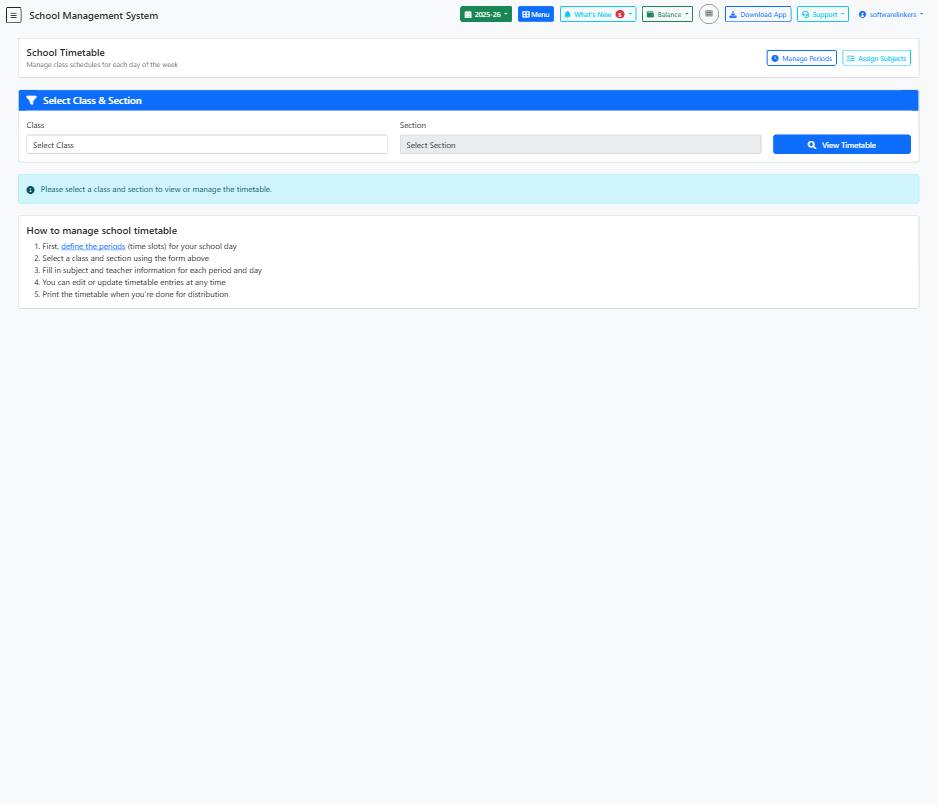
School Timetable Management Guide
Learn how to efficiently manage class schedules and timetable entries using the School Management System.
📋 Step-by-Step Instructions
- Define the periods (time slots) for your school day.
- Select a class and section from the 'Class' and 'Section' dropdown menus.
- Fill in subject, teacher, room number (optional), notes, and checkbox information for each period and day.
- Click on the 'Save Entry' button to store the timetable information.
💡 Helpful Tips
- You can edit or update timetable entries at any time for flexibility.
- Make sure to select the correct class and section before adding or editing timetable entries.
- Print the final timetable for distribution to teachers, students, and staff.
⚠️ Important Notes
- Ensure the accuracy of the timetable details before saving to avoid errors.
- Do not forget to select a class and section before attempting to manage or view the timetable.
- Make sure to save your entries periodically to prevent data loss.