Student Admission Page Guide
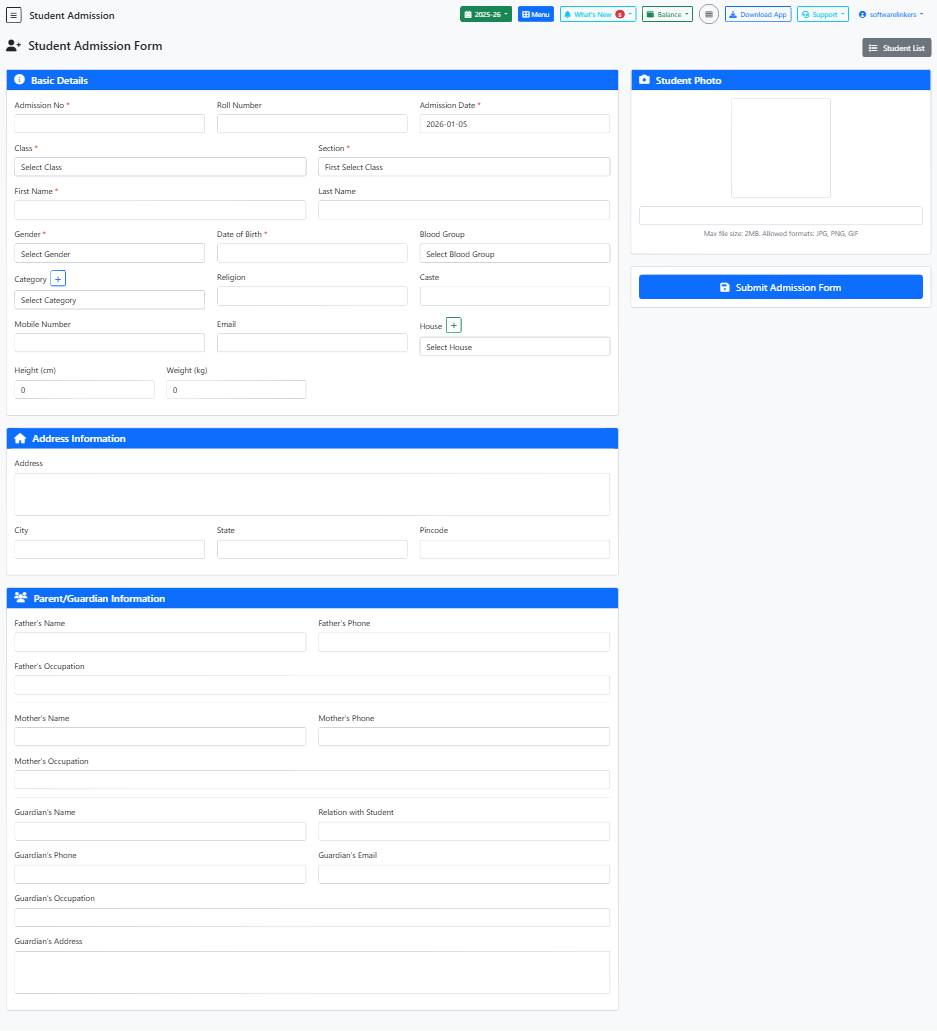
This guide provides step-by-step instructions for filling out the Student Admission form on the school management system.
📋 Step-by-Step Instructions
- Enter the Admission Number in the provided text field.
- Input the Roll Number in the designated text field.
- Select the Admission Date using the date picker.
💡 Helpful Tips
- Ensure all mandatory fields are filled out before submitting the form.
- Double-check the accuracy of information provided, especially dates and contact details.
- Use the dropdown menus for selecting options like Class, Section, Gender, Blood Group, and House.
⚠️ Important Notes
- Do not leave any mandatory fields blank to avoid form submission errors.
- Make sure to provide correct and up-to-date contact details for effective communication.
- Do not forget to save your progress by clicking on the 'Save Category' button if needed.